
How it works
A few taps a day. A clear page when it matters.
Add your medicines
Type the name, the strength and when you take it, or take a photo of the box. If someone in the family is helping, they can add them for you.
Tick them off
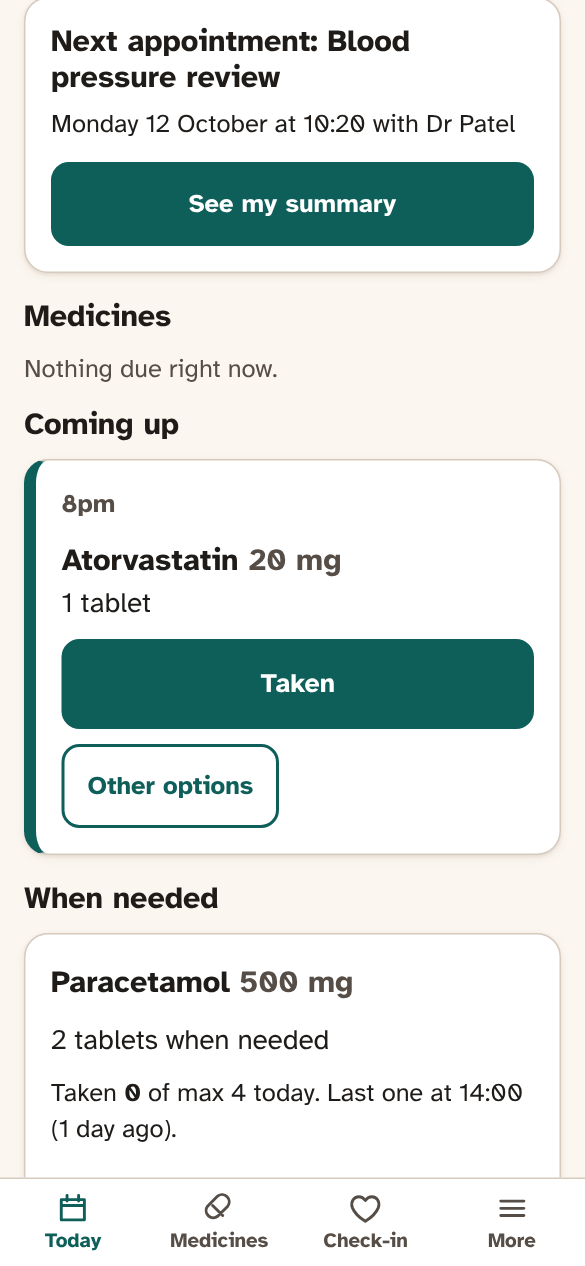
Your phone gives you a gentle reminder at the right time. One tap says you’ve taken it. If you miss one, it simply shows as not ticked.
A quick check-in
Once a day, say how you’ve been: sleep, pain, mood, energy and water. Tap the answers, or press the microphone and say it in your own words.
Get ready for your appointment
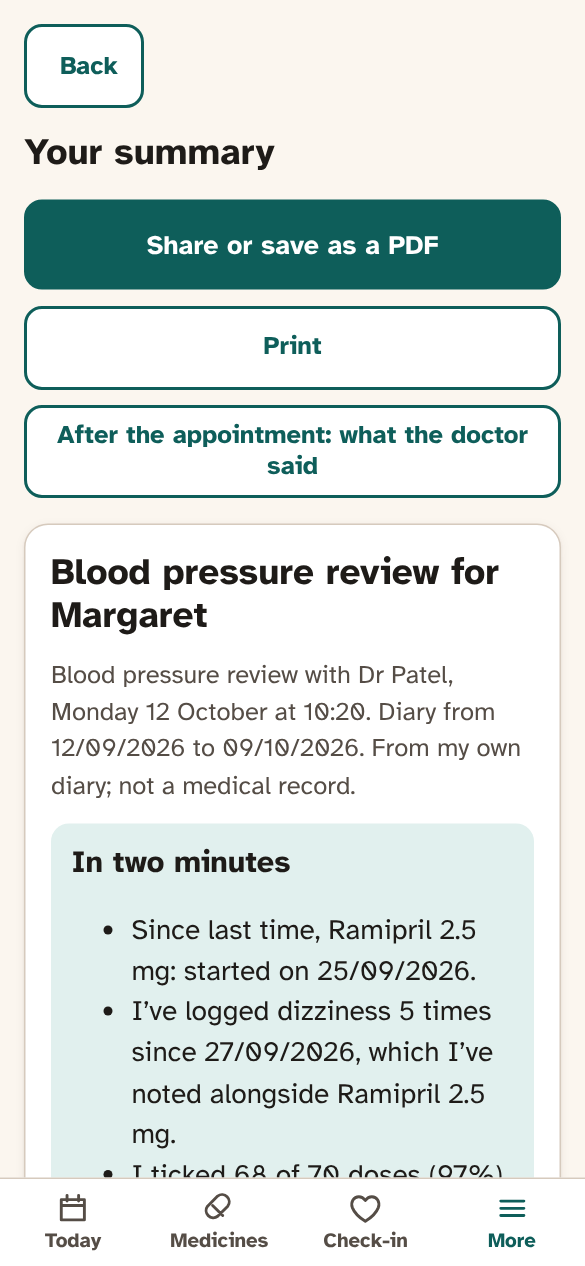
Add the appointment, and the Journal gathers what’s happened since last time, with your questions at the top.
Take one clear page
Show it on your phone, share it as a PDF, or print it. Afterwards, note what the doctor said, so it’s there next time.
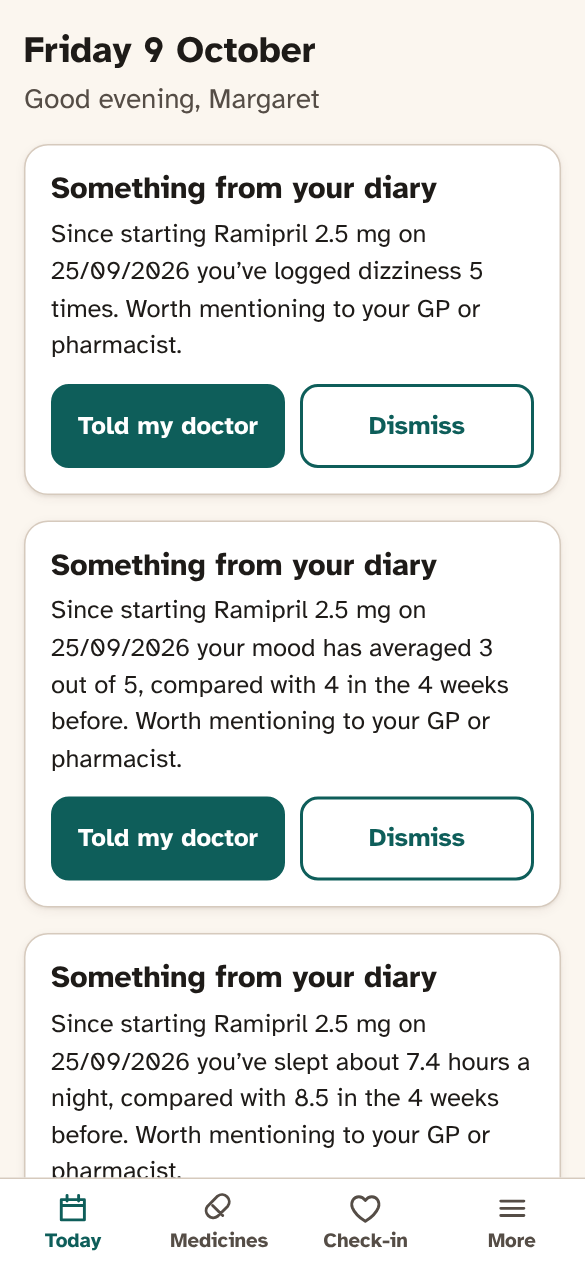
Things worth mentioning
The Journal can point out things in your own diary that may be worth mentioning to your GP or pharmacist, such as a few bad nights in a row after a new medicine started. It only describes what you wrote. It doesn’t diagnose anything, and it never tells you to change or stop a medicine.
Works on any phone
It runs in your web browser, on iPhone, Android, tablets and computers. Add it to your home screen and it opens like an app. Large text, clear buttons, and it works with screen readers.
No card needed. After the trial you can keep using the free plan.